Introduction to and Exit from vim
with nyakob (they/them/jakob) :3

this is one of the official Vim logos
07 Nov '26, maschinenraum
the dawn of the text editor
- 1960: Colossal Typewriter on the PDP-1, considered to be the first text editor ever
- input and output media: teletype or punched tape
- screens with text were not common
- CT has two modes: control mode and text input mode 👀
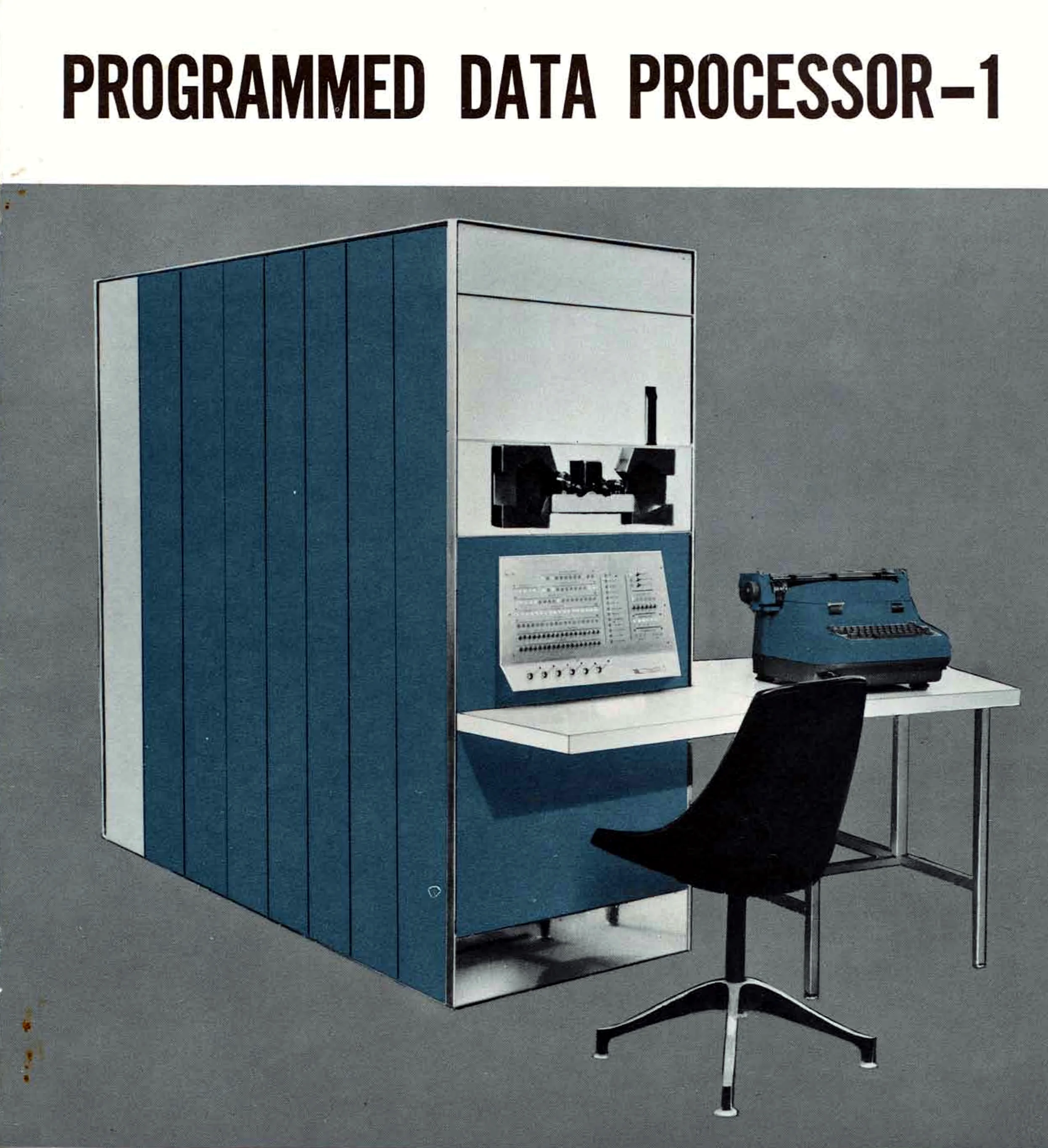
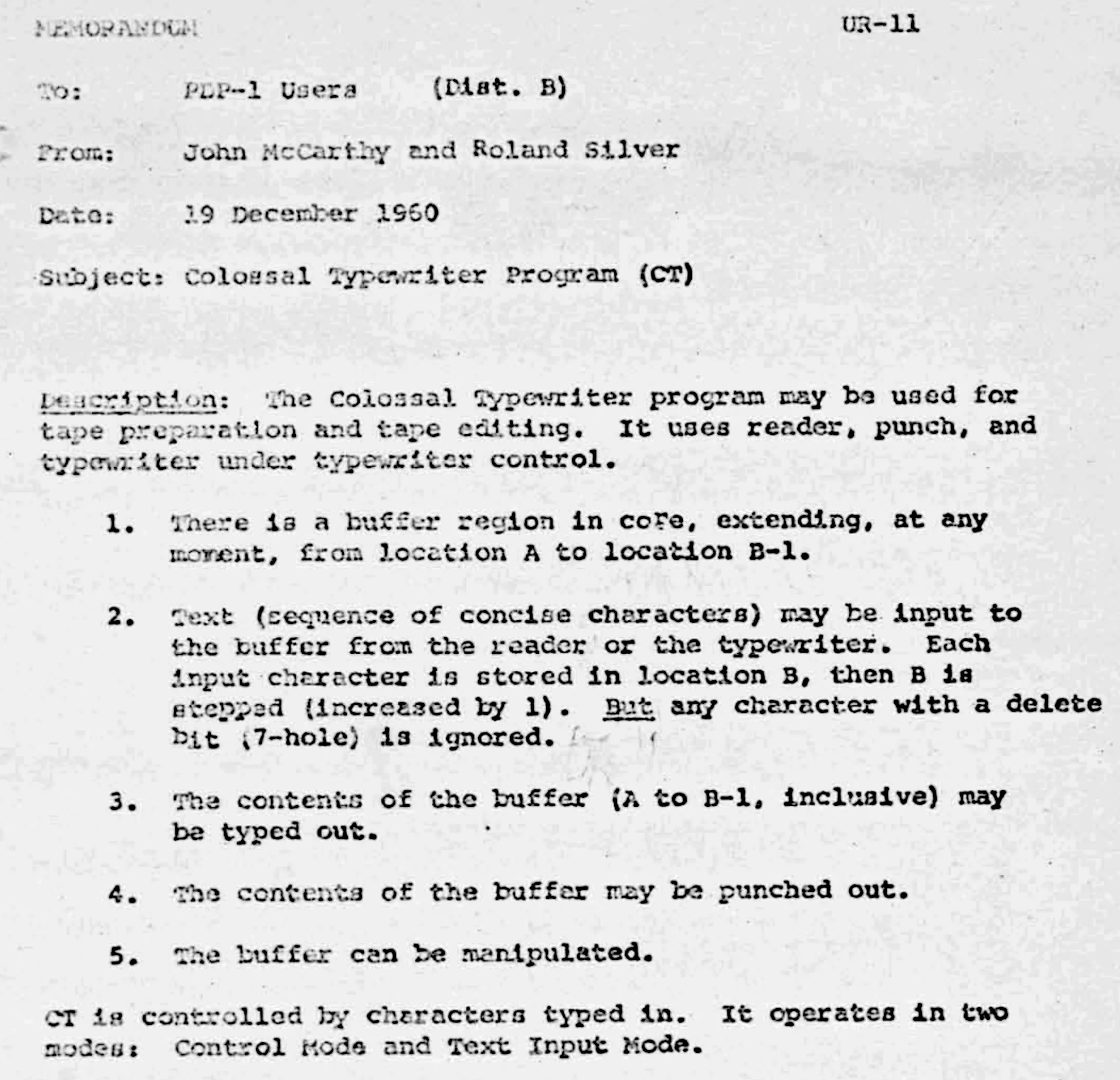
brochure (left) and CT memorandum (right) from the Computer History Museum’s collection
the evolution of the text editor
- 1960: Colossal Typewriter (PDP-1, John McCarthy and Roland Silver at BBN)
- 1961–1962: Expensive Typewriter (PDP-1, Steve Piner and Peter Deutsch at MIT)
- Peter Deutsch is also known for Smalltalk, Ghostscript, REPL
- fun fact: the PDP-1 also had
“Expensive Desk Calculator”

Expensive Desk Calculator in the PDP-1 Program Library, Computer History Museum and “Expensive Planetarium” a.k.a. “Spacewar!”, one of the first computer games ever
- 1965–1967: QED “quick edit” (SDS-940, Peter Deutsch, Butler Lampson and Dana Angluin at UC Berkely)
ed
- 1969: Thompson and Ritchie start developing an Operating System called “UNIX” at Bell Labs
- very much recommended watching: Kay Lack. The little editor that could (2025)
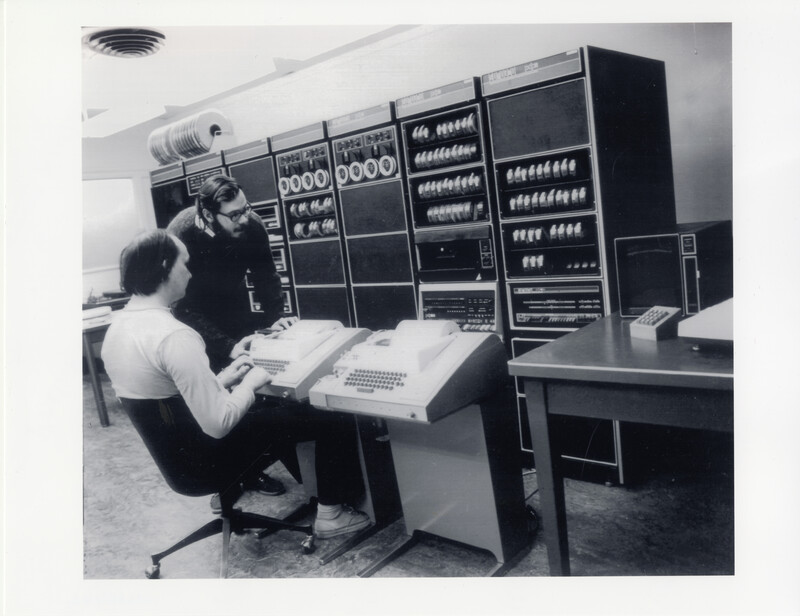

ex and vi (cont’d)
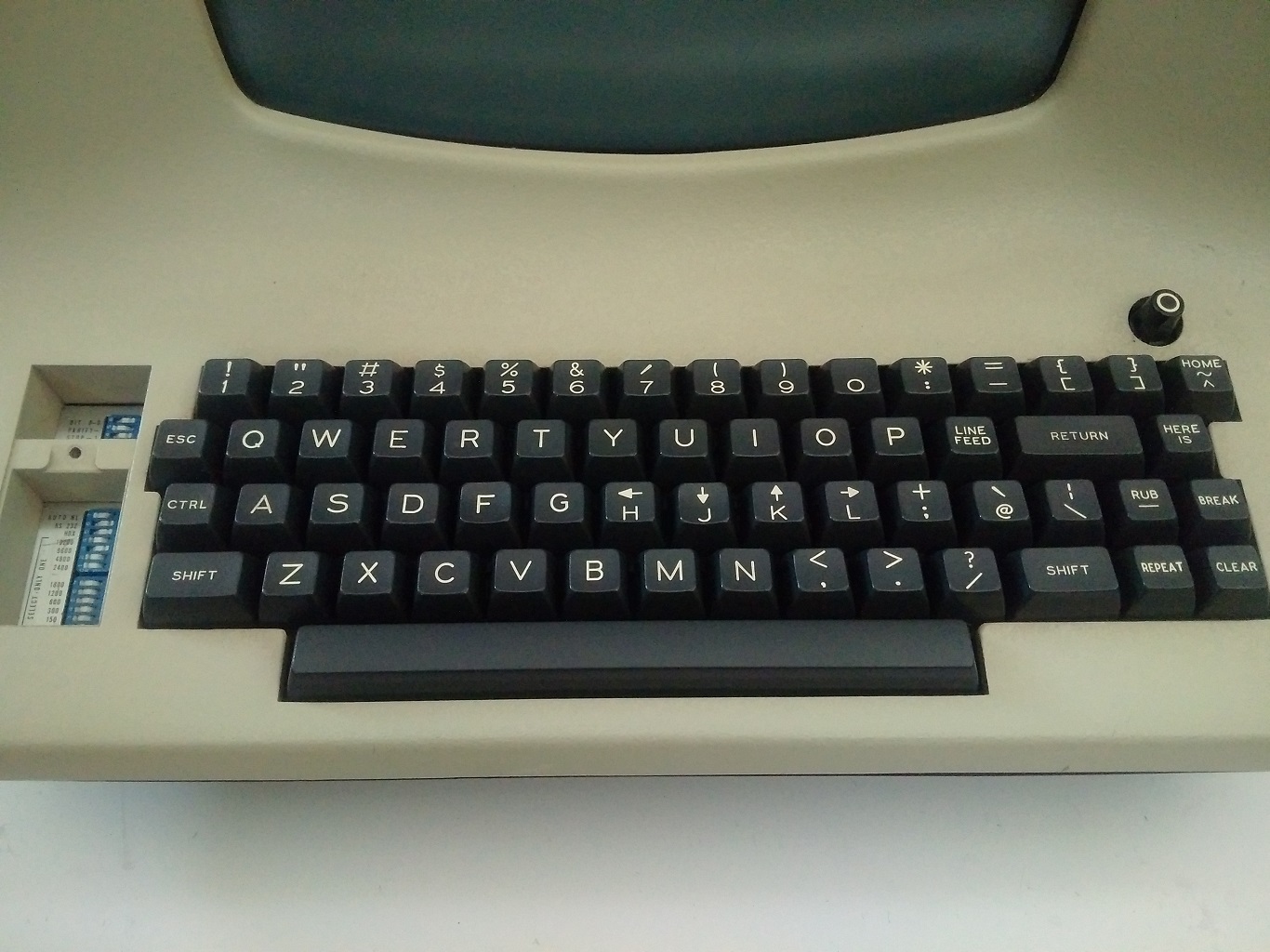
- joy developed vi on a Lear Siegler ADM-3A VDU
- note the arrow keys on hjkl 👀



Vim
- software license: charityware.
- “Vim is free, but it’s worth something”
- Moolenaar suggested donating to charity if you agree with this
- vim spread on fish disks,
collections of free software distributed on diskettes sold for the cost of materials

first steps
i’ve prepared an abridged version of vim-tutor:
git clone https://mae.rs/git/vim  # or download https://mae.rs/git/vim.zip
cd vim
./tutor/run

config
i’ve prepared a very simple config. install it as follows:
mkdir -p ~/.config/nvim
mv init.lua ~/.config/nvim/
let’s look at it!
vim ~/.config/nvim/init.vim

more plugins
- airline
gives u a cool status bar:

- vim-polyglot for syntax highlighting
- UltiSnips for macros (good for tex)
- vimtex for live-ish tex editing 1. markdown-preview.nvim for (you won’t believe this) previewing markdown files
- conform for auto-formatting